Debugging Tools
The debug directory of the related spotify_monitor project contains two utilities for testing Spotify token retrieval and reading current TOTP values. Both work with Spotify Profile Monitor because the two tools share the same web-player token flow. Most users do not need these tools.
Access Token Retrieval via sp_dc Cookie and TOTP
The spotify_monitor_totp_test requests a Spotify access token with a Web Player sp_dc cookie and TOTP parameters.
Download the file in a browser or run:
curl -fsSLO https://raw.githubusercontent.com/misiektoja/spotify_monitor/refs/heads/main/debug/spotify_monitor_totp_test.py
Install requirements:
Run:
The command prints the access token response. Example output:
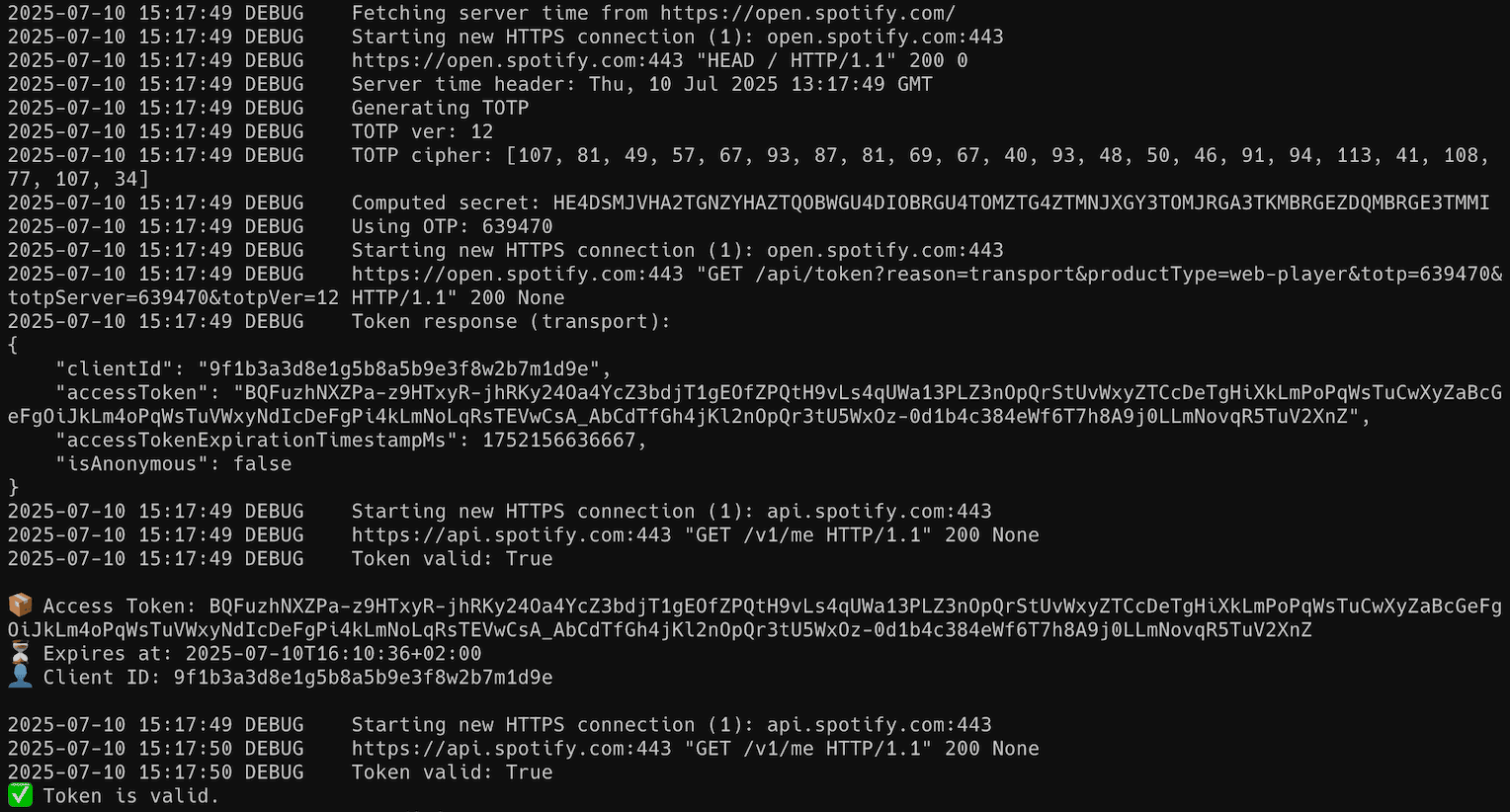
The optional --token-validity-url accepts only HTTPS Spotify API hosts. Redirects are rejected so the bearer token cannot be forwarded to a different destination. The utility returns a nonzero exit status when token retrieval, requested secret updates or token validation fails.
If the included TOTP values stop working:
--fetch-secretsopens Spotify Web Player in a headless Playwright browser and extracts current values.--download-secretsreadsSECRET_CIPHER_DICT_URLfrom an HTTP URL or localfile:URL. Its default source is xyloflake/spot-secrets-go. These options affect only this test utility. Spotify Profile Monitor usesTOTP_VERSIONandTOTP_SECRET_CIPHER_BYTESinstead.
Secret Key Extraction from Spotify Web Player Bundles
The spotify_monitor_secret_grabber reads current TOTP keys from Spotify Web Player.
The extractor returns a nonzero exit status when it finds no usable secrets, extraction fails or --all cannot write every requested output file.
Recommended: Use the Docker method if you do not already have Playwright and its browser files installed.
Download the file in a browser or run:
curl -fsSLO https://raw.githubusercontent.com/misiektoja/spotify_monitor/refs/heads/main/debug/spotify_monitor_secret_grabber.py
Install requirements:
Run interactively (default output mode):
Example output:
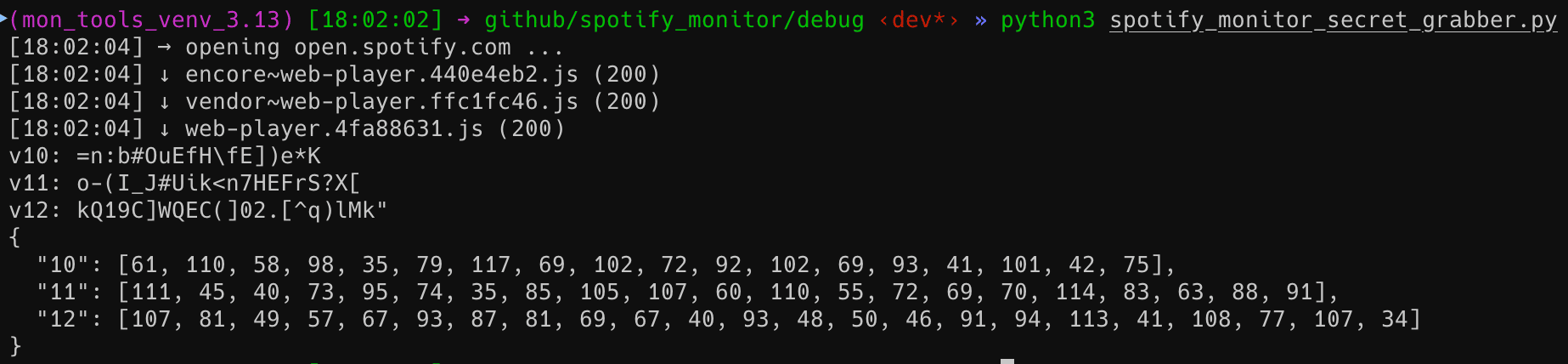
Show help:
CLI Output Modes
Choose the output format with one of these options:
| Flag | Description | Output |
|---|---|---|
--secret |
Prints plain JSON array of extracted secrets | [{"version": X, "secret": "..."}, ...] |
--secretbytes |
Prints JSON array with ASCII byte values | [{"version": X, "secret": [..]}, ...] |
--secretdict |
Prints JSON object/dict mapping version → byte list | {"X": [..], "Y": [..]} |
--all |
Extracts secrets and writes all three outputs to local files | secrets.json, secretBytes.json, secretDict.json |
Save the version-to-byte mapping as JSON:
Generate all three output files at once:
Default file paths and names can be configured directly in the OUTPUT_FILES dictionary at the top of the script.
Secret Key Extraction via Docker
A prebuilt multi-architecture image is available on Docker Hub: misiektoja/spotify-secrets-grabber
The examples use the latest tag. --pull=always in direct commands and pull_policy: always in Compose make Docker check for a newer image before each run. To stay on one release, add a version such as :1.3 to the image name.
Image version tags follow the extractor version. Tags receive weekly security rebuilds and latest points to the newest build.
The image runs as a non-root user with UID and GID 1000 by default. This prevents root-owned output on typical native Linux hosts.
This image works on:
- macOS (Intel & Apple Silicon)
- Linux (x86_64 and ARM64)
- Windows with a Docker-compatible runtime
- Raspberry Pi 4/5 (64-bit OS)
Run interactively (default output mode):
Show help:
Save the version-to-byte mapping as JSON:
Generate all three output files at once:
On native Linux hosts whose user does not use UID and GID 1000, map the direct container to the current account and give its browser a writable home directory:
docker run --rm --pull=always --user "$(id -u):$(id -g)" -e HOME=/tmp -v .:/work -w /work misiektoja/spotify-secrets-grabber --all
For SELinux hosts (Fedora/RHEL), use -v .:/work:Z.
To use Docker Compose, run the included compose.yaml:
Run the command from the directory that contains compose.yaml. The .:/work mount saves generated files in that host directory.
On native Linux hosts whose user does not use UID and GID 1000, map Compose to the current account:
SPOTIFY_SECRET_GRABBER_UID="$(id -u)" SPOTIFY_SECRET_GRABBER_GID="$(id -g)" docker compose run --rm spotify-secrets-grabber --all
Use the generated secretDict.json with spotify_monitor_totp_test. Spotify Profile Monitor reads its values from TOTP_VERSION and TOTP_SECRET_CIPHER_BYTES. If Spotify selects a new TOTP version, update those settings with the values from the current web-player bundle.