spotify_profile_monitor



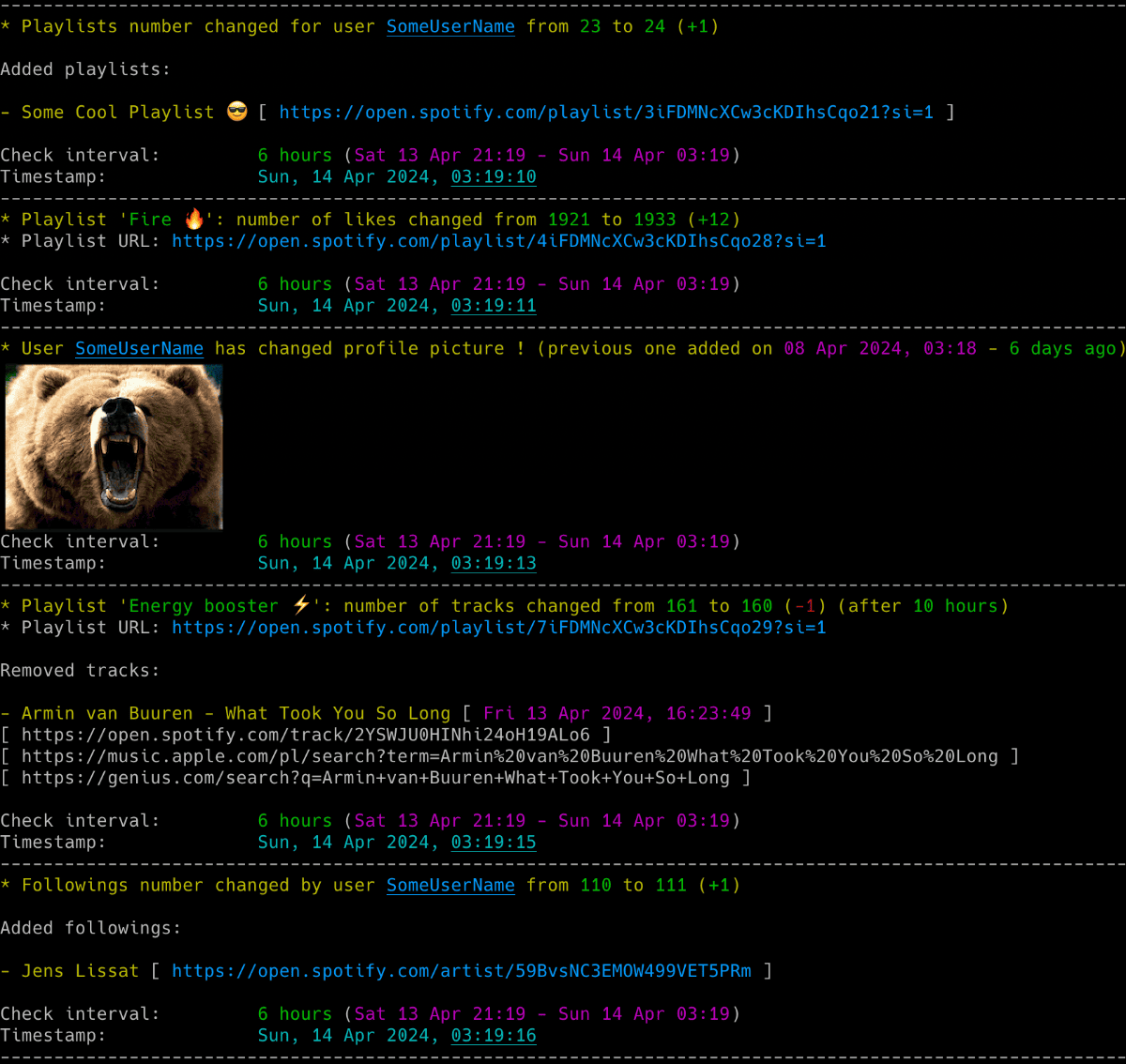
Powerful Spotify tool for real-time tracking of profile changes, playlist updates, follower growth, collaborators and more - delivered straight to your terminal, inbox or webhook.
🚀 Quick Install & Run
New to Python or unsure what is installed? Follow the Python install walkthrough first.
Install from PyPI:
Run the setup wizard:
The wizard asks for the target, the Spotify login and optional notifications. Review the settings before saving them. See Setup & First Run for the browser login import and the manual cookie steps.
For the manual single-file method, optional extras and upgrade commands, see Installation.
Features
📜 Playlists
- Detect added or removed playlists and tracks.
- Track playlist names, descriptions, likes and collaborators.
- See who added each track to a collaborative playlist.
👤 Profile Changes
- Track username and profile-picture changes.
- See when followers or followed accounts are added, removed or renamed.
- View profile details and recently played artists.
🔔 Notifications and History
- Receive alerts in the terminal, by email, through Discord or through ntfy.
- Read coloured terminal output with a customizable theme, while log files stay plain text.
- Keep a timestamped CSV history of profile and playlist changes.
- Include profile pictures and optional playlist or album artwork in notifications.
🔎 Extra Tools
- List or export tracks from playlists and Liked Songs.
- Search for Spotify users by name.
- Open music and lyrics searches across Spotify, YouTube Music, Apple Music, Tidal and other services.
- Use the automatic web-player playlist backend without creating a Spotify developer app.

✨ If you want to track Spotify friends' music activity, check out another tool I developed: spotify_monitor.
🛠️ For Spotify Web Player token and secret-key utilities, see Debugging Tools.