github_monitor



Powerful real-time GitHub OSINT tool that tracks everything from profile updates and contribution streaks to repository engagement and follower changes - even detecting when you've been blocked, all with instant email and webhook notifications.
🚀 Quick Install & Run
New to Python or unsure what is installed? Follow the Python install walkthrough first.
Install from PyPI:
Run the setup wizard:
The wizard asks for the target, the GitHub token and optional notifications. Review the settings before saving them. See Setup & First Run for how to create the GitHub personal access token.
For the manual single-file method, dependencies and upgrade commands, see Installation.
Features
🔍 Activity and Profile Tracking
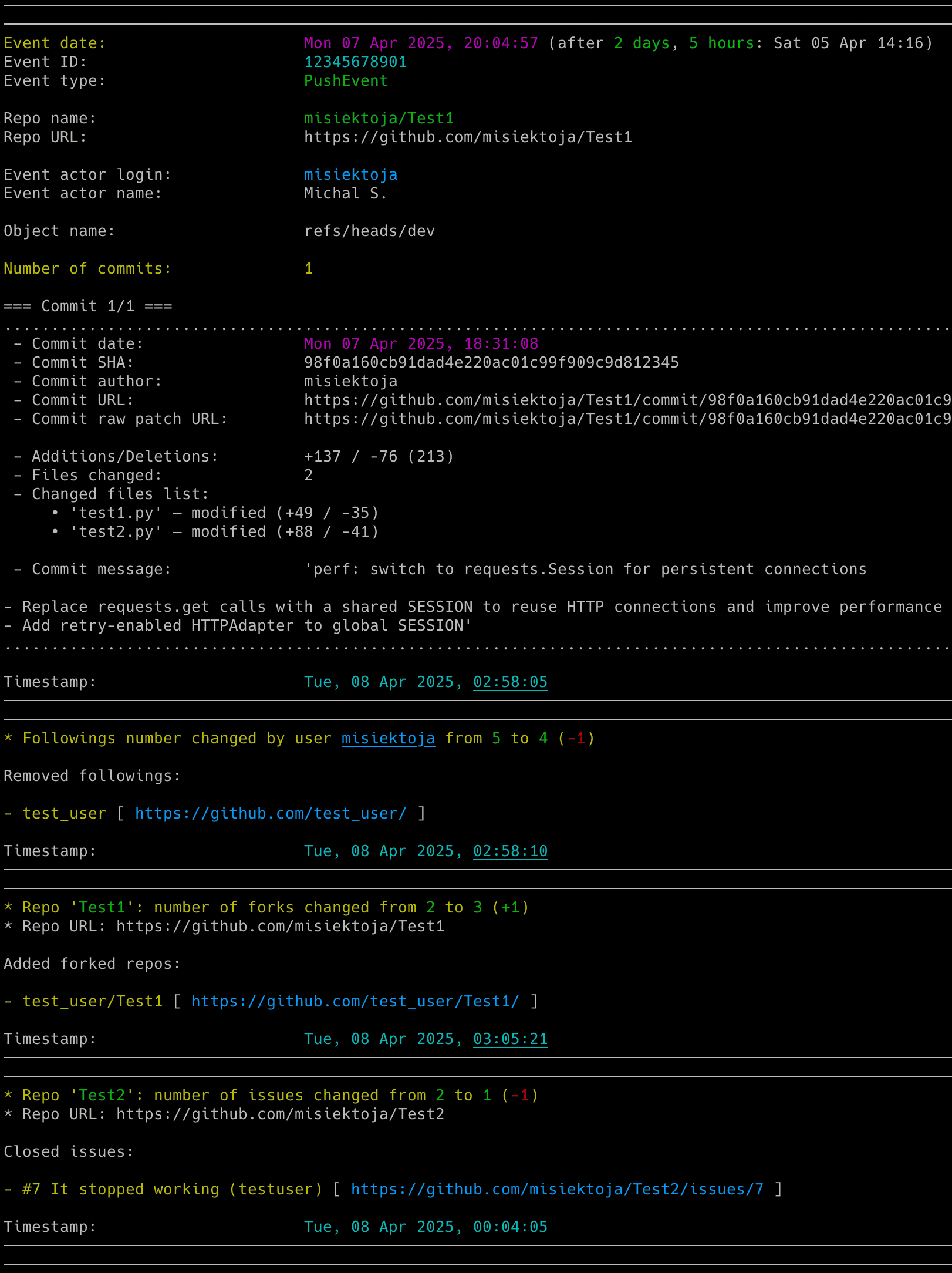
- GitHub events: Track pushes, pull requests, issues, forks, releases and reviews.
- Profile changes: Detect changes to names, email, location, company, bio, blog URL, visibility and account metadata.
- Connections and contributions: Track followers, followed accounts, daily contributions and blocking or unblocking.
📊 Repository Insights
- Repository lists: Track added or removed public and starred repositories.
- Repository changes: Monitor stars, watchers, forks, issues, pull requests, discussions, descriptions and update dates.
- Removal context: Flag deleted accounts or repositories when reporting removals.
- GitHub links: Open repositories, commits, issues and other activity from console and email links.
🔔 Notifications and History
- Event alerts: Send email, Discord and ntfy notifications with event-specific controls.
- CSV history: Save detected activity and profile changes with timestamps.
- Terminal colours: Customize the theme, with colours disabled when output is redirected.
⚙️ Setup and Configuration
- Guided setup: Configure a target, credentials and alerts with
--setup, then check them with--doctor. - Flexible settings: Use configuration files, dotenv files, environment variables and command-line options.
- Runtime controls: Adjust the running monitor through supported signals.
- GitHub deployments: Connect to public GitHub or GitHub Enterprise.